
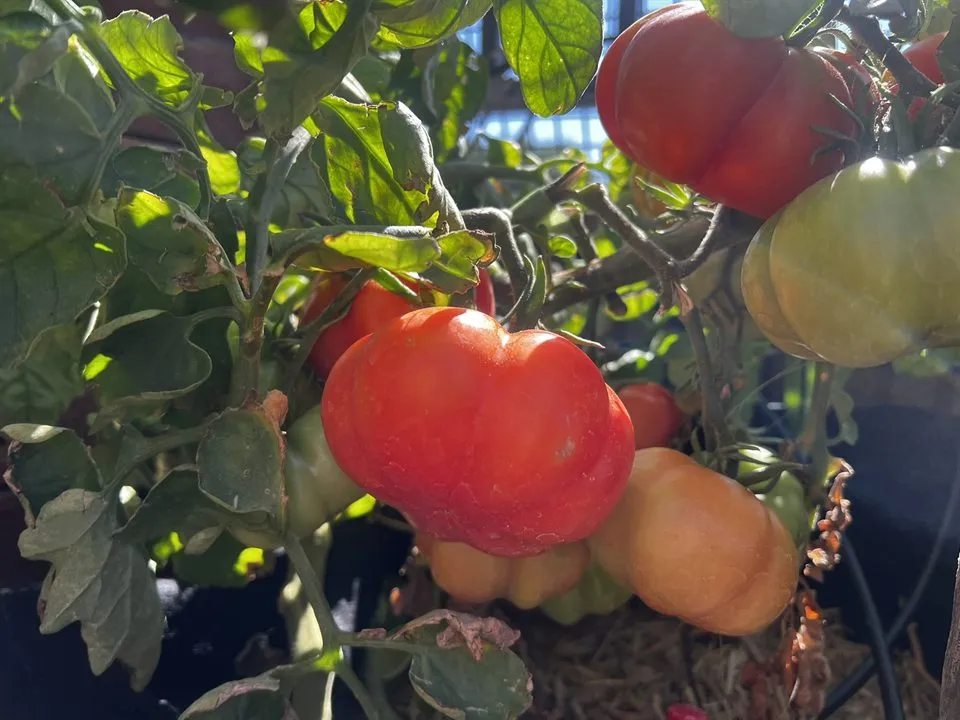
What could two garden photos honestly tell us?
A wide garden photo makes tomato watching harder than it sounds. Fruit can hide behind leaves, move in the wind, or be picked between photos. Shade and camera movement can make an unchanged tomato look different.
We could not promise an exact count, follow every fruit across images, or forecast harvest day from that view. We chose a narrower question:
Can GardenSeer notice that visible ripening appears to have increased since a recent comparable photograph?
“Appears” matters here. We are asking about visible change in an image, not diagnosing a plant or telling anyone when to harvest.
We started by labeling the photos ourselves
We reviewed 18 private garden images by hand. We drew a boundary around each tomato we could confirm, so the color check would look inside the fruit instead of counting every orange flower or red patch in the scene. These boundaries are called masks.
We marked 56 warm-colored lookalikes that were not tomatoes, including the kinds of objects that had fooled the earlier color check. In model testing these are hard negatives. They helped us test whether the software could separate likely fruit from orange flowers and other distractions. Eight uncertain objects stayed in the review record but were excluded from training and color scoring.
We trained a private experimental Mask R-CNN model with TorchVision on 14 earlier images and saved four later images to check it. We chose the score threshold before looking at those four, rather than adjusting it afterward to make the result look better.
What the test images actually show
The numbers need context. These are approved, privacy-safe crops from the actual private test, not mockups or generated pictures.
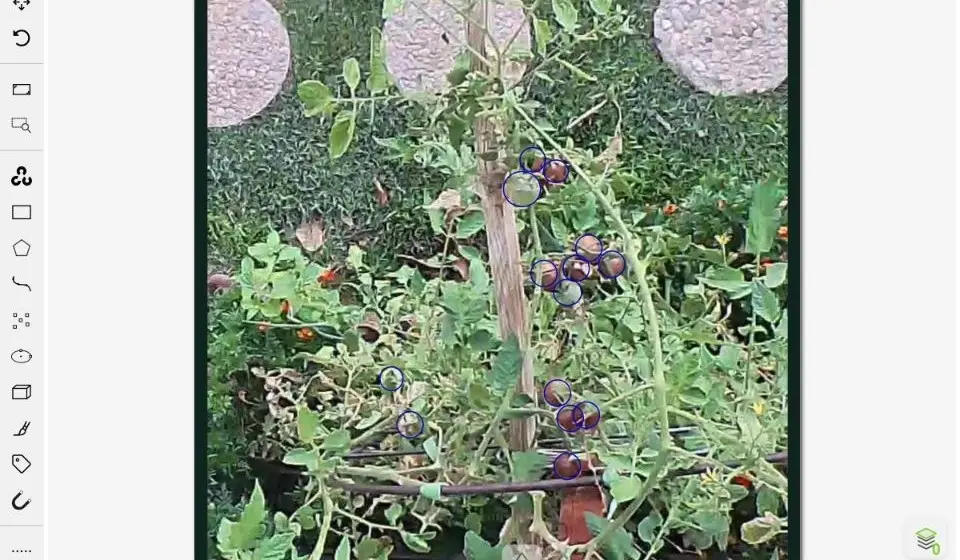
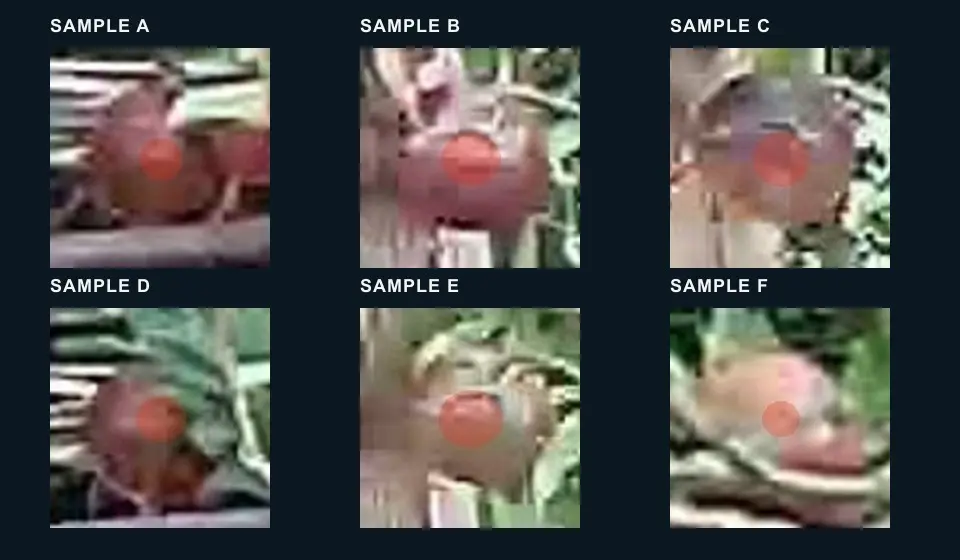
Privacy boundary: These approved images were cropped and redacted without generative editing. Exact dates, camera directions, filenames, object IDs, individual scores, account details, and image metadata were removed. Full captures, annotations, storage references, and model weights remain private and off this site.
It missed many tomatoes, but saw the broader change
The detector was not good enough to count fruit. At the score threshold chosen before evaluation, tomato-box precision was 46.2% and recall was 31.6% using an overlap threshold of 0.50. The stricter mask check scored 38.5% precision and 26.3% recall.
| Evaluation | Precision | Recall | What it supports |
|---|---|---|---|
| Tomato boxes at IoU 0.50 | 46.2% | 31.6% | Diagnostic only; not exact counts |
| Tomato masks at IoU 0.50 | 38.5% | 26.3% | Diagnostic only; not fruit identity |
| Combined ripe-color event | 4 of 4 held-out frames classified as expected | Feasibility signal only | |
The broader ripening-change check gave a better early signal. It stayed quiet on both earlier held-out views and fired on both later views, matching the expected garden-level result on all four frames.
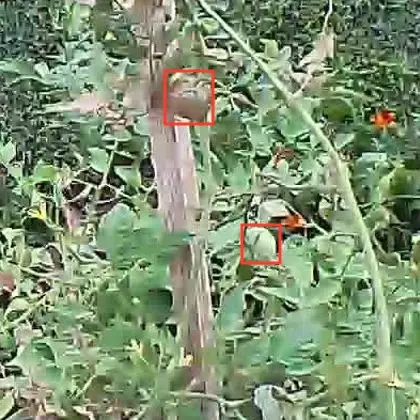
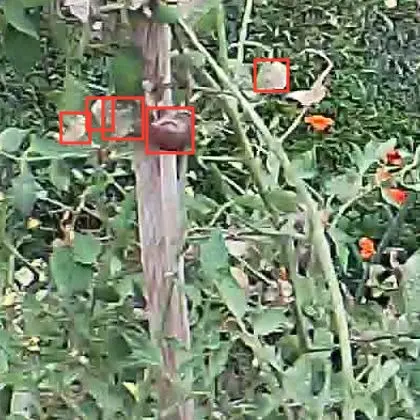
Why 4 of 4 is not an accuracy score: The images span only two dates, and both later views probably show the same fruit. Four frames are not four independent ripening events. This result supports another test, not a dependable alert rate.
What the private workflow does now
We built a small private workflow to test the idea without sending alerts. When a new image passes basic checks, the system can compare it with a recent usable image from the same view and record a possible garden-level ripening change.
Set aside photos too poor to compare.
Use a recent, usable photo from the same view.
Stop when image quality or camera movement makes the result shaky.
Save why it flagged a change, its confidence, the photos, thresholds, and method version.
Let a person confirm or reject the private candidate.
A waiting period and a check across camera views help prevent one visible change from creating a burst of duplicate records. We save the threshold and method version with each candidate, so later reviewers can understand how it was produced.
This is shadow mode: no push notification, email, text, or garden action follows a candidate. The system can make mistakes privately while we learn where it fails.
What four held-out images cannot tell us
We do not yet know how this method behaves across many new days, tomato varieties, glare, moving shade, wind, rain, pruning, harvest, blocked views, or a camera moved back to an old position. Nor have we shown that it catches every obvious ripening change.
- We do not have a dependable exact tomato count.
- We do not have reliable fruit identity across dates or views.
- We do not have a calibrated days-to-ripen forecast.
- We do not yet know the real false-alert burden for a grower.
- We do not yet know how many obvious events the system misses.
These unknowns shape the next test. They also keep any future message cautious: “New visible ripening may have appeared,” not a precise count or a promise about harvest day.
What we need to see before sending an alert
The next check needs fresh photos that did not shape the current rule. We will keep the threshold and method fixed while a person reviews possible changes, obvious misses, unusable images, and camera-movement problems.
- Collect new photos across ordinary changes in light and weather.
- Record every private candidate and every obvious ripening change it misses.
- Measure false alarms and missed changes at the garden level, not as fruit counts.
- Count the times poor images or camera movement make a comparison unusable.
- Check whether the waiting period and cross-view duplicate check keep repeated records under control.
- Decide in advance how much review work would be acceptable.
Only then should we consider an optional, carefully worded notification. If the method fails, the paired photos and review decisions should still show us where it went wrong.
A useful observation needs a record behind it.
This test did not produce a reliable tomato counter. It suggests a narrower possibility: a camera may help flag visible change if it also keeps the earlier image, shows its uncertainty, and leaves room for a person to say the system was wrong.